Vector Meldrew

Artwork

Vector Monoliths · Tunnel

Tunnel: a tunnel screensaver you can steer

Built from Vector Meldrew's own glyph alphabet. Runs in the browser.

What it does

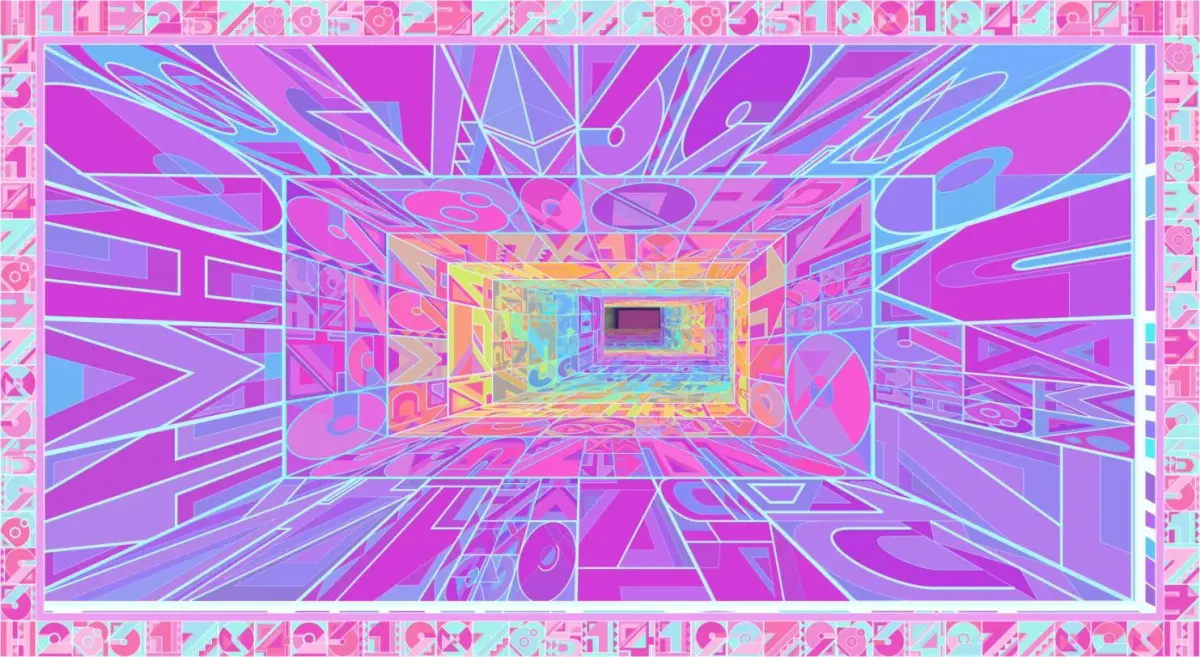
Tunnel is a tunnel made from Vector Meldrew's glyph alphabet: letters and numbers drawn as flat geometric tiles, stacked into rings that fly towards you. Move the mouse, or a finger on a phone, to steer; hold to boost. One button randomises the colours, motion and shape, and you can keep the parts you like. Load a track and the tunnel moves to it. Save any frame as a PNG or record the run as an MP4. Nothing to install.

How to use it

  1. Press start.
  2. Move the mouse or your finger to steer. Hold Space or the mouse button to boost.
  3. Press Randomise all (or R) for a new tunnel. Tick Keep next to text, colours, motion or tunnel to hold those while the rest changes.
  4. Press Full screen below the tunnel to see it alone, with nothing on top. Esc leaves.
  5. From the panel: Load music to drive it with a track, Save frame PNG or Record MP4 to keep what you made. H hides the panel, P pauses.

Questions

Does it work on a phone?

Yes. Touch steers the tunnel. On phones that cannot go full screen, Full screen makes the tunnel fill the window instead.

Can I record it?

Yes. Record MP4 saves a video of the run, and Save frame PNG saves a still.

Can it move to music?

Yes. Load music, choose a track from your device and press play: the tunnel responds to it.

Can I keep a look I like?

Yes. Save settings writes your settings to a file, and Load settings brings them back.